Hardware wallets have flaws
-
Technically, hardware-wallet vendors can upload your private keys to a server
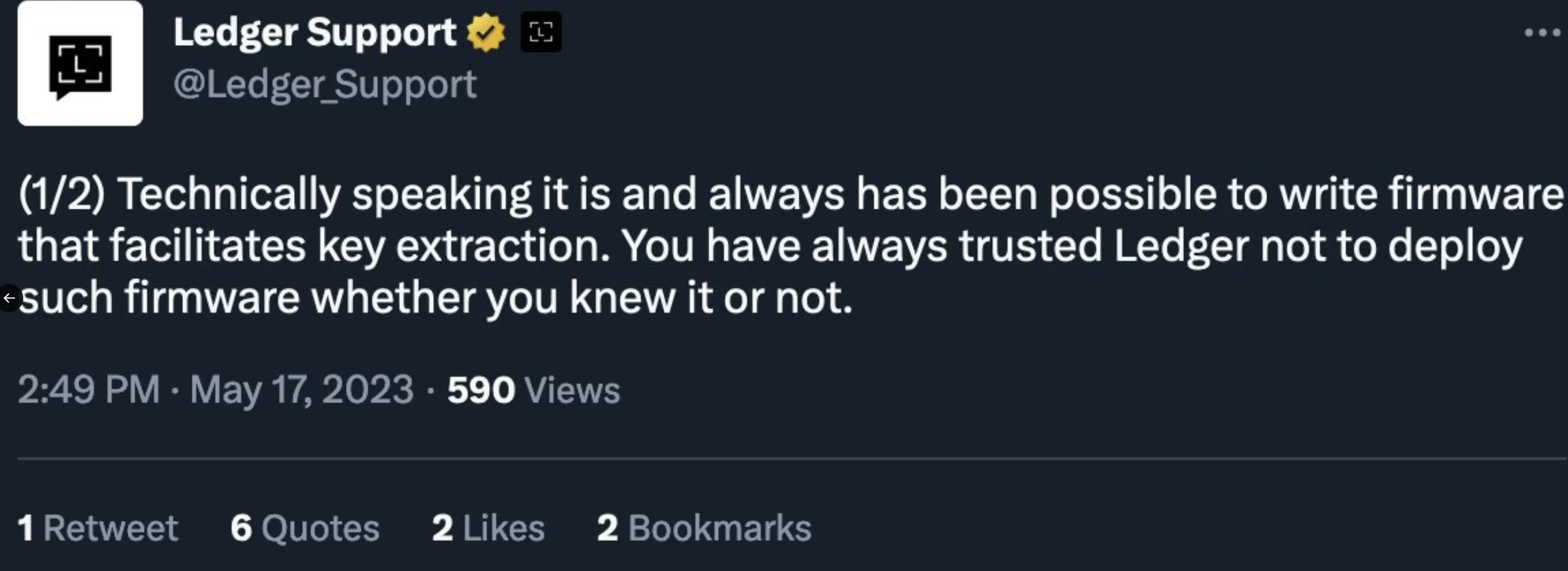
Whether they ever would is another matter — but the capability is theirs. Mainstream hardware wallets, even Bitcoin-only ones, push firmware updates regularly — and they could introduce a “bug” in one of those updates that uploads users’ private keys to a server. Yes, their firmware is open source — but is it possible that, before the community spots the bug and warns everyone, a batch of users have already updated to the poisoned firmware?
See a tweet Ledger officially posted and quickly deleted:
-
Buying one creates identity data — a leak puts you in the crosshairs of a $5 wrench attack
In August 2026, Trezor’s logistics provider ShipMonk suffered a data breach, exposing the names, email addresses, phone numbers and some delivery addresses of about 13,689 customers. The official warning was stark: this leaked personal data is easily exploited by bad actors to run highly targeted, very convincing phishing and scam campaigns against affected users.
In 2020, Ledger’s e-commerce database was breached — the email addresses, names, phone numbers and some physical addresses of more than a million customers were leaked, then sold on the dark web and hacker forums, followed by a wave of phishing attacks aimed squarely at Ledger users.
-
Don’t be seduced by “true random-number chips” or “multiple entropy sources”
Hardware-wallet vendors spend fortunes generating robust seed words. But if ten minutes of dice rolls can produce a seed phrase — the randomness of 128/256 real rolls is something no amount of energy in the universe could collide with — why would you need a “true random-number chip” or “multiple entropy sources”?
A hardware wallet’s random-number generation still depends on its hardware, firmware and their implementation; any fault or malicious design can mean insufficient entropy and predictable private keys. You would be trusting that the vendor’s chips and firmware have no faults.
A spare old Android phone sidesteps all of these hardware-wallet flaws.
Requirements for the old phone
- Android 10 or newer — older Android versions may still allow data to be recovered after a factory reset; modern Android does not have this problem.
- Not rooted, not jailbroken, developer mode never enabled.
Why an old phone makes a great hardware wallet
- Very secure: modern Android provides strong enough data-protection features. Import the seed words, send coins, then factory-reset — it becomes very hard for anyone else to recover the wallet.
- Very private: hardware-wallet vendors keep leaking customers’ names and addresses, exposing those users to wrench attacks. Almost everyone has an old Android phone lying around; as a general-purpose device, it’s far less conspicuous than buying a hardware wallet.
- Simple to use: see below.
Turning the old phone into an air-gapped hardware wallet
-
Factory-reset the old Android phone (the cold phone from here on).
-
Set a screen-lock PIN.
-
Turn on Bluetooth on the cold phone and pair it with your everyday phone (the hot phone).
-
Download the Electrum APK from the official website. On the hot phone, find the APK in your file manager, long-press it, and choose Share → Bluetooth to send it to the cold phone:
(The phone I’m using for the screenshots is in Chinese. Sorry I didn’t have time to switch it to English and take screenshots, but I’m sure you can find the correct button on your phone, right? )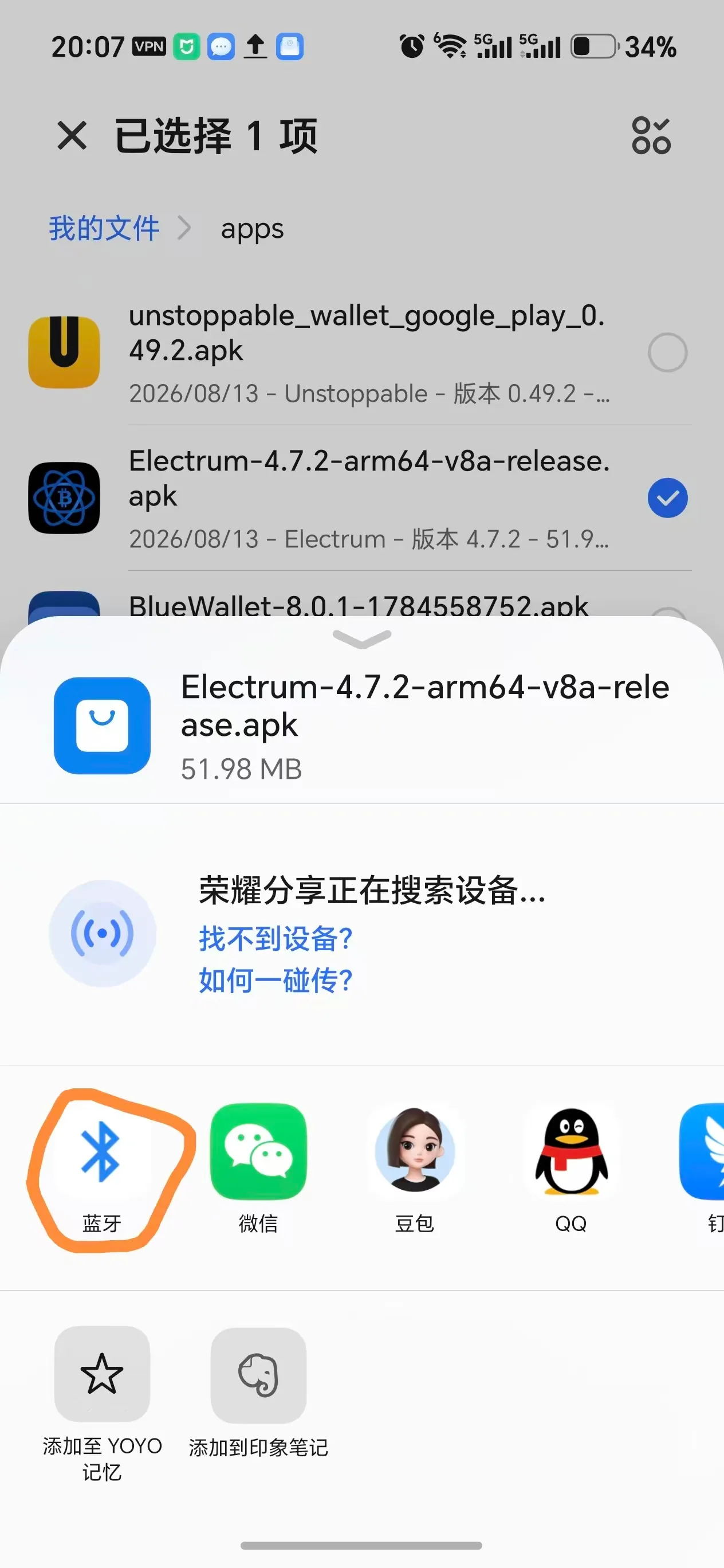
-
On the cold phone, accept the APK, install Electrum, and restore the wallet with your seed words + passphrase:
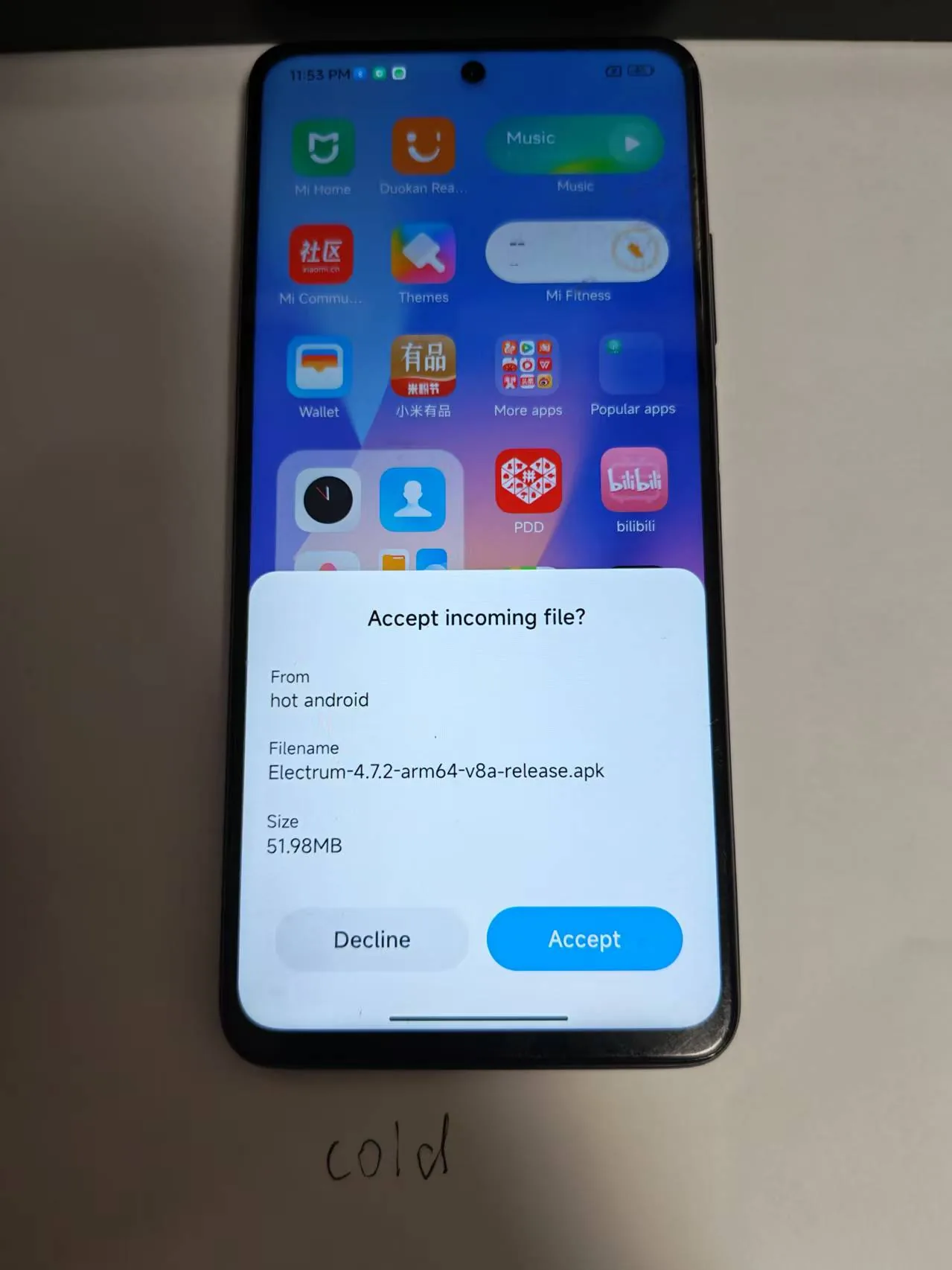
From now on, keep Wi-Fi and mobile data off — forever. Data flows in but never out: the phone only receives over Bluetooth and never sends anything back. You now have an air-gapped “hardware” wallet.
Create a watch-only wallet
Cold phone: in Electrum, after entering your seed words + passphrase, tap Wallet details and open the QR code for Master public key.
Hot phone: create a watch-only wallet in Electrum: New Wallet → Standard Wallet → Use a master key. Scan that QR code and you can see the wallet’s transaction history, addresses, and balances — and use it to receive coins.
Sending coins
-
Hot phone: in Electrum, tap Send, scan the QR code of the receiving address to build the transaction, then open the transaction’s QR code.
-
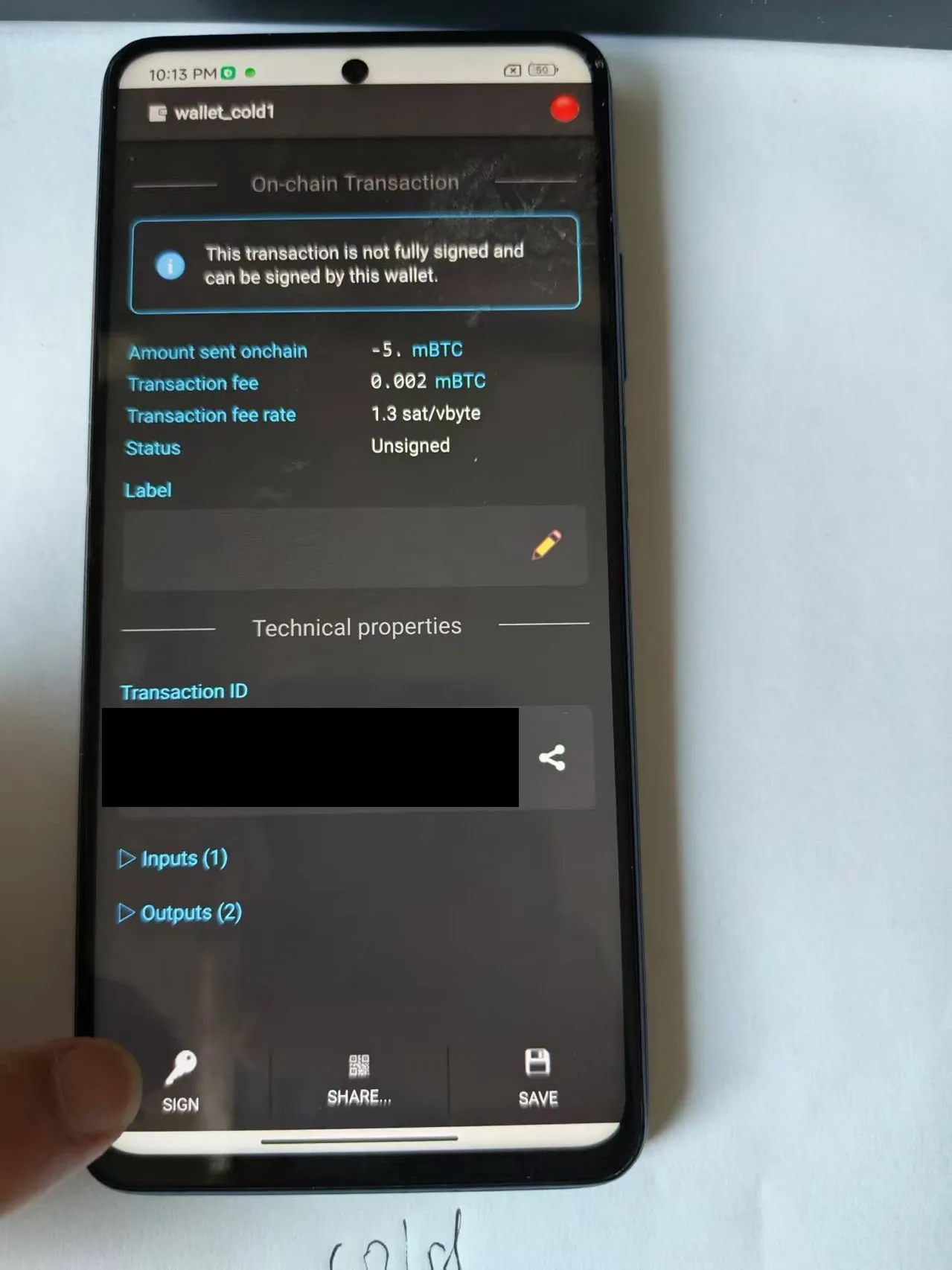
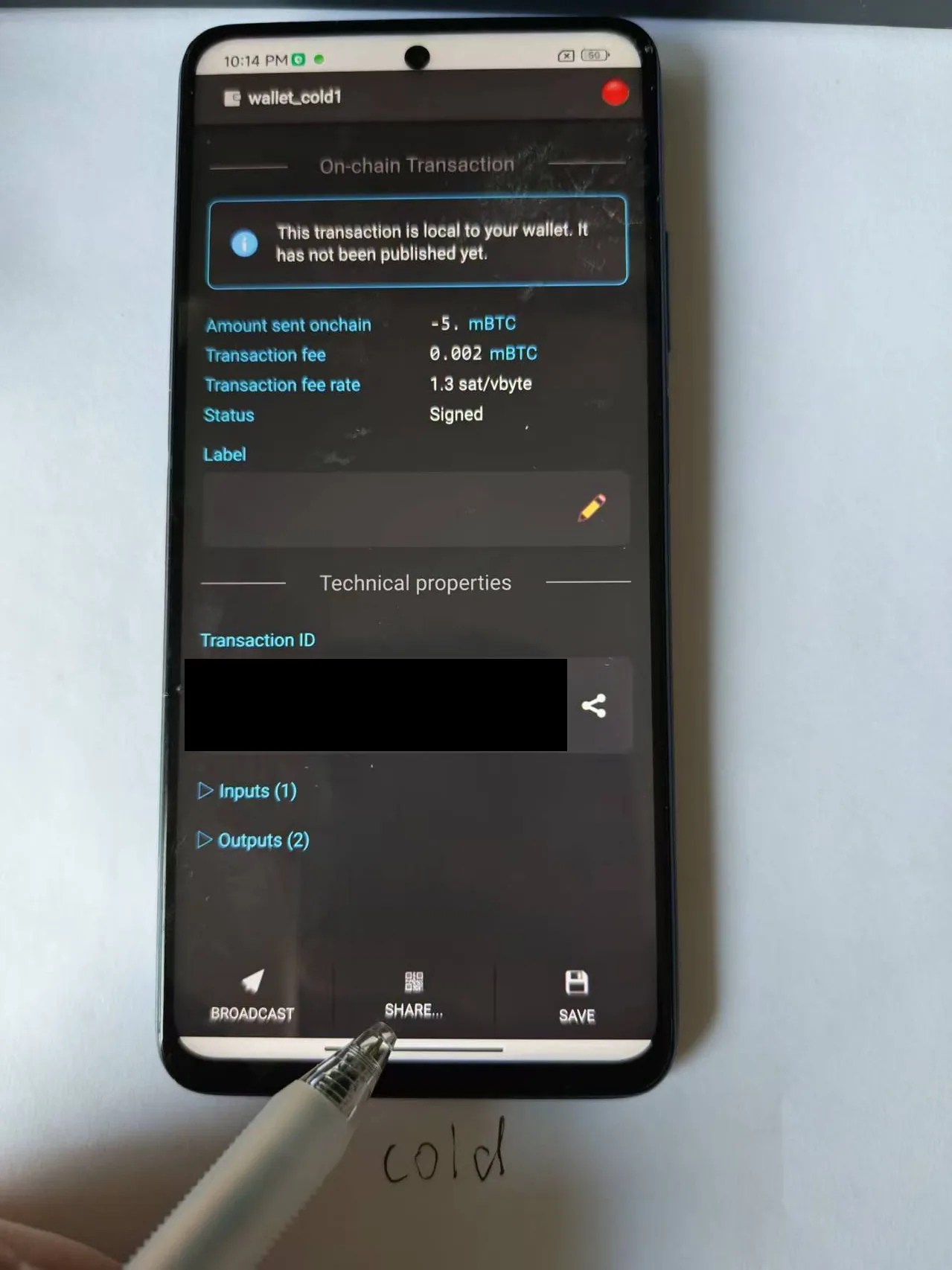
Cold phone: tap Send and scan the transaction QR code on the hot phone. Verify the transaction’s outputs — check the amount, the destination address, and the change address — then tap SIGN:
-
Cold phone: tap Share Transaction to show the QR code of the signed transaction:
-
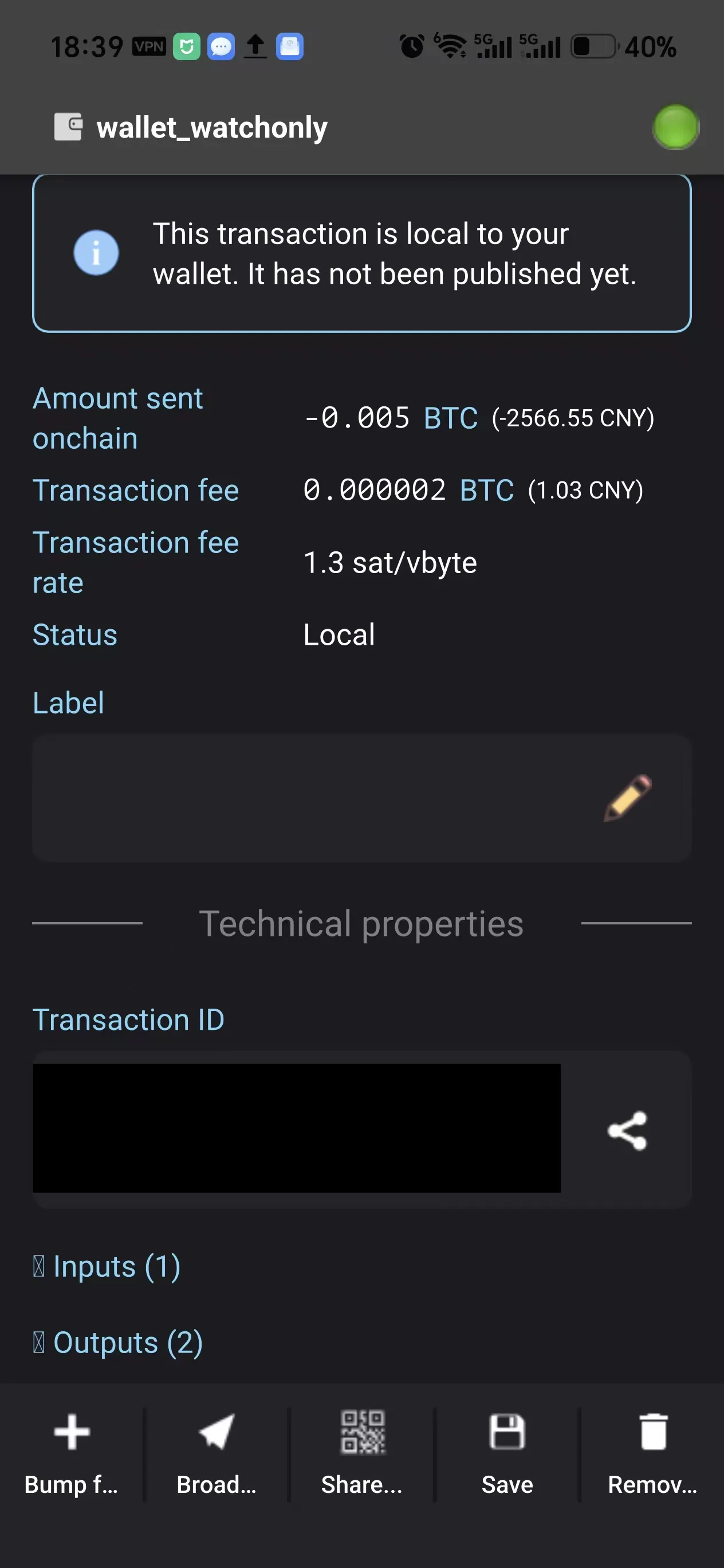
Hot phone: tap Send, scan the signed-transaction QR code on the cold phone, double-check the addresses, then tap Broadcast to finish sending:
Notes
- When using an old phone as your hardware wallet, please spend ten minutes rolling dice to generate your seed words yourself.
- Before importing the seed words into the cold phone, update the Android system first if you can — while still online. After the update, go offline and into airplane mode: once the seed words are imported, never go online again; receive data only over Bluetooth.
- If you won’t be spending for a long time, you can factory-reset the cold phone: keep your seed-word and passphrase backups safe, and restore the wallet the next time you need to send.
- Electrum is a recommendation, not a requirement — use whatever wallet you’re comfortable with. Electrum is suggested because, among the Android wallets bitcoin.org recommends, the cold/hot scanning workflow is smoothest and simplest with it.
Comments
Comments are reviewed before appearing. Thanks for your patience.